Every byte,
accounted for.

A real-time internet usage meter for Windows with quota cycles, per-app tracking, Data Saver, daily caps, a speed limiter and a spike watchdog. Everything runs locally - no account, no cloud, no telemetry.

Version 1.0.0 · Free · Single administrator prompt · Uninstall keeps your history

SHA-256 A9F03454454D88D3C4AFAB637DD61D8A3D5958028EEF0D42698514A423BBAF86
CYBERMINDZ Internet Data Manager
Internet Data Manager
Made by CYBERMINDZ
6.54 MBSetup size
0Accounts required
100%Local data
1UAC prompt
Built for the way you use data

Live meters, per-app breakdowns, quota cycles and one-click protection.

Everything a data meter should do

Real Windows enforcement, not a simulated dashboard.

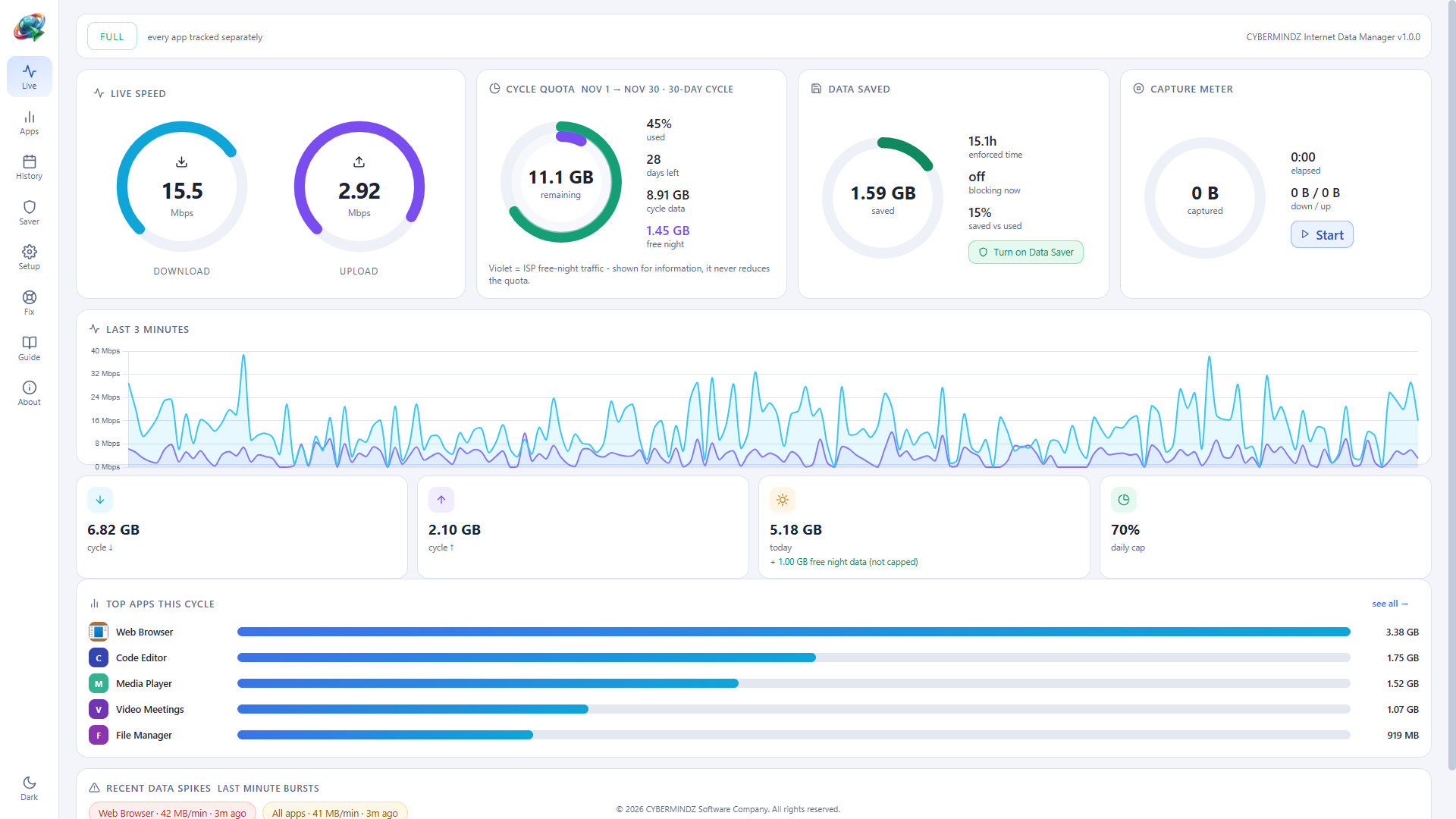
Live speed meter

Kernel network events are turned into per-second totals with animated dials and a rolling chart.

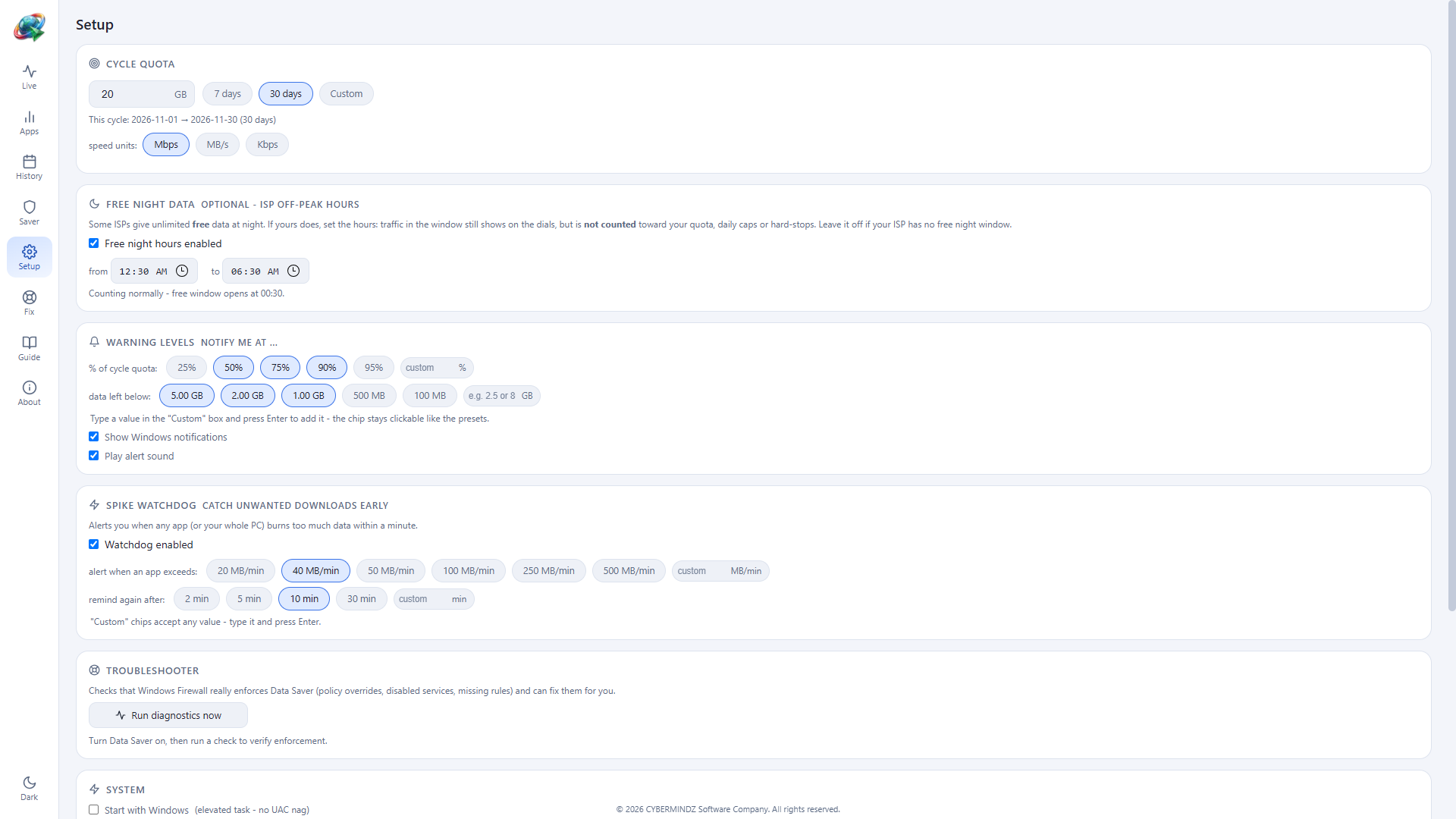
Quota & cycles

Set a GB allowance and a 7, 30 or custom-day cycle. A ring gauge shows usage and days remaining.

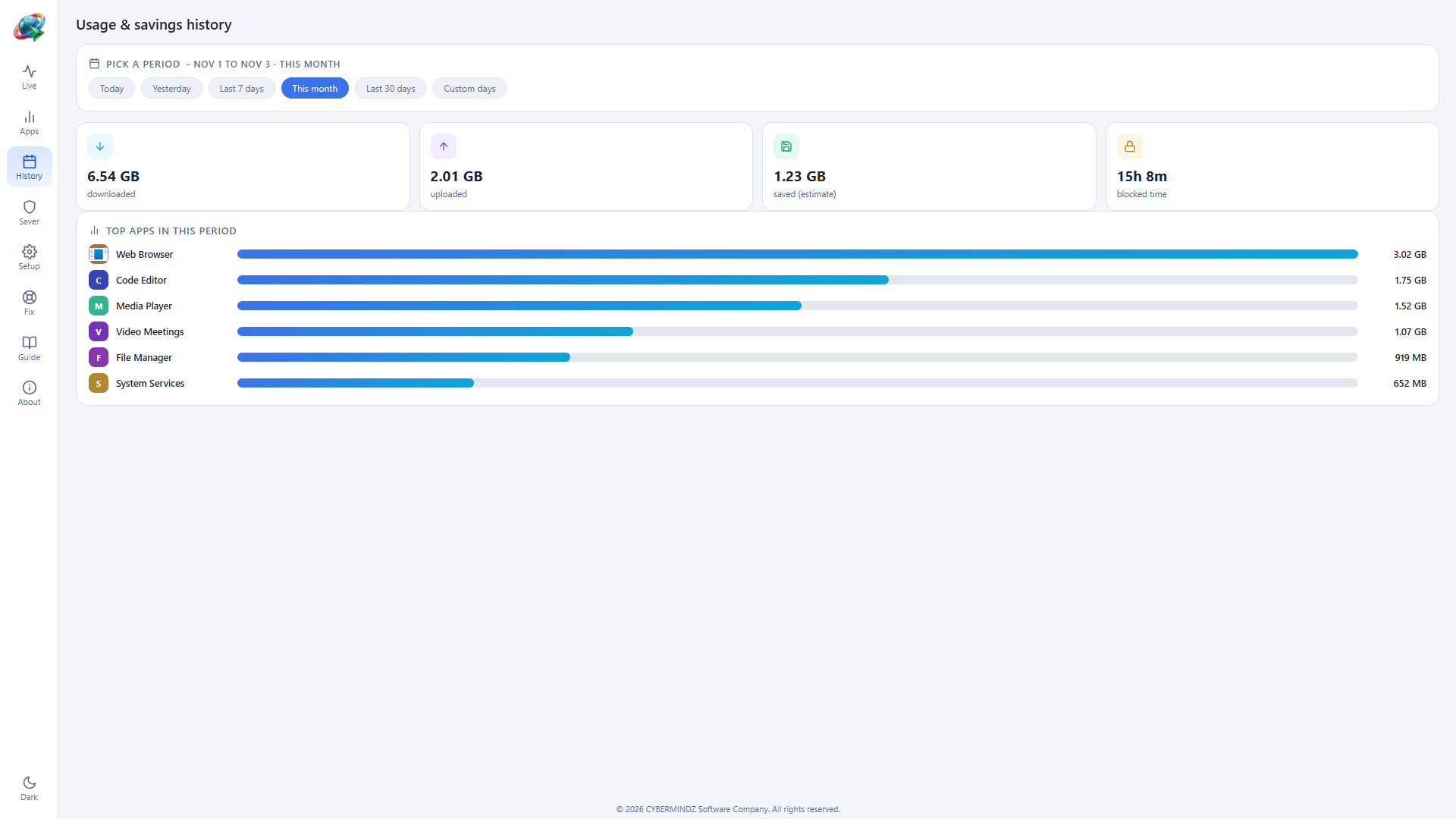
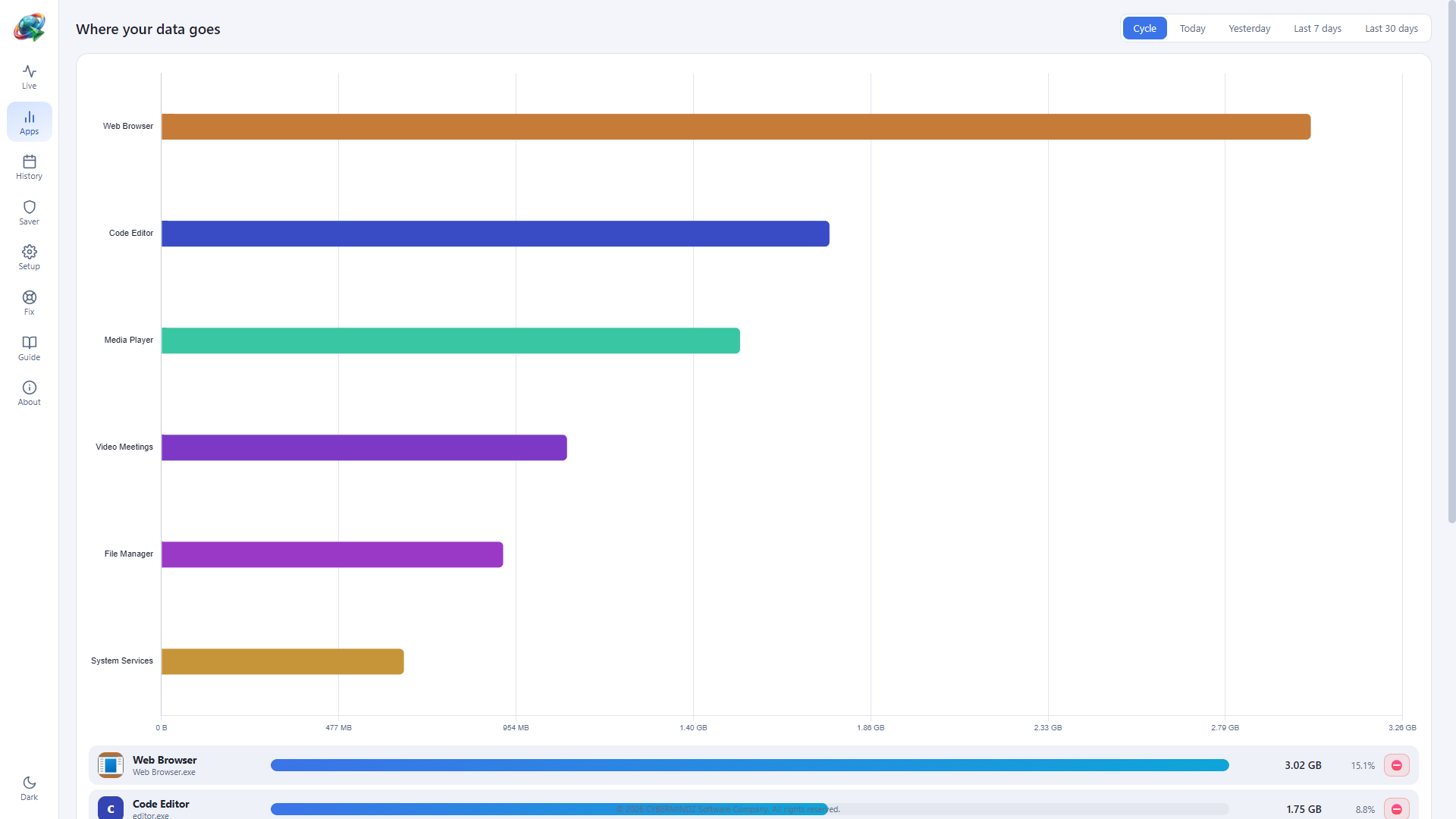
Per-app usage

See which application is responsible for the traffic, with paths and exclusion lists.

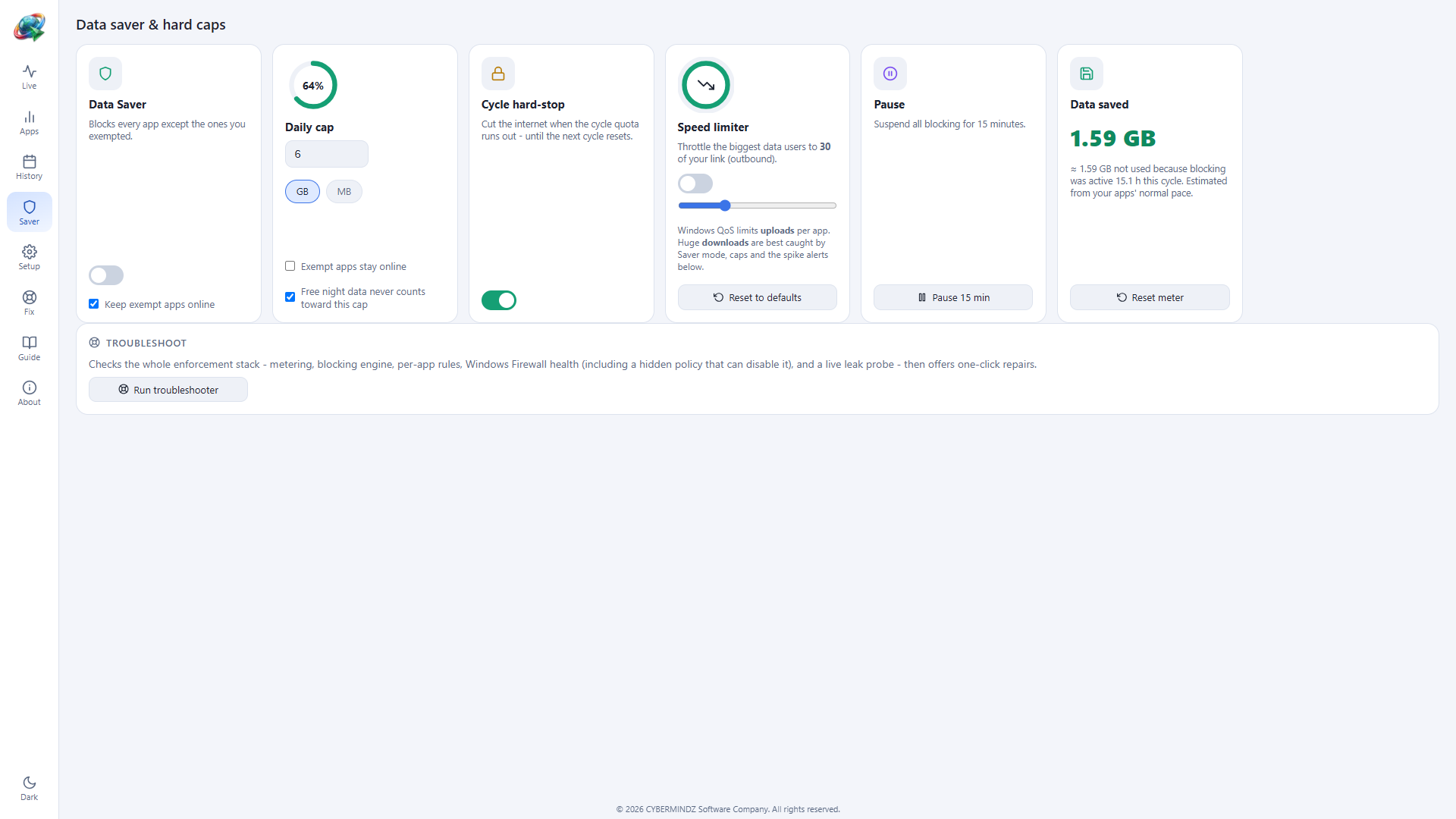
Data Saver

Windows Firewall default-deny outbound. Only the apps you exempt, plus DNS, DHCP and NTP, stay online.

Daily cap

An optional GB-per-day hard stop releases automatically at midnight, so a heavy day cannot drain the month.

Cycle hard-stop

Cut internet when the cycle quota runs out and restore it automatically when the next cycle begins.

Speed limiter

Policy-based QoS throttles the biggest applications. Outbound only, applied by Windows itself.

Spike watchdog

Get a Windows alert when any app, or the whole PC, burns a set amount of data within a minute.

Integrity check

A build-time SHA-256 manifest verifies the application files and reports anything modified.

Up and running in a minute

No account. No bundled extras. One administrator prompt.

  1. Download the setup - the file is CYBERMINDZ-IDM-Setup-v1.0.0.exe (6.54 MB).
  2. Run it and approve the Administrator prompt. It installs under C:\Program Files.
  3. Read and accept the legal documents - EULA, Privacy Policy, Terms of Service and Third-Party Notices are shown read-only and cannot be edited.
  4. Launch it from the desktop or Start menu. The single elevated process powers per-app tracking, Data Saver, caps and throttling.

System requirements

  • Windows 10 or Windows 11, 64-bit
  • .NET Framework 4.8 (included with Windows 10/11)
  • Microsoft Edge WebView2 Runtime - installed automatically if missing
  • Administrator rights for install and network enforcement
  • Uninstall keeps your history in %APPDATA%\CYBERMINDZ-IDM

Take back control of your data

Version 1.0.0 · 6.54 MB · Windows 10/11 64-bit · Free

Verify the download: SHA-256 A9F03454454D88D3C4AFAB637DD61D8A3D5958028EEF0D42698514A423BBAF86